Navi
An award-winning mobile safety app that helps pedestrians navigate unfamiliar routes with real-time safety insights and emergency support.
INTRODUCTION
How can we improve travel?
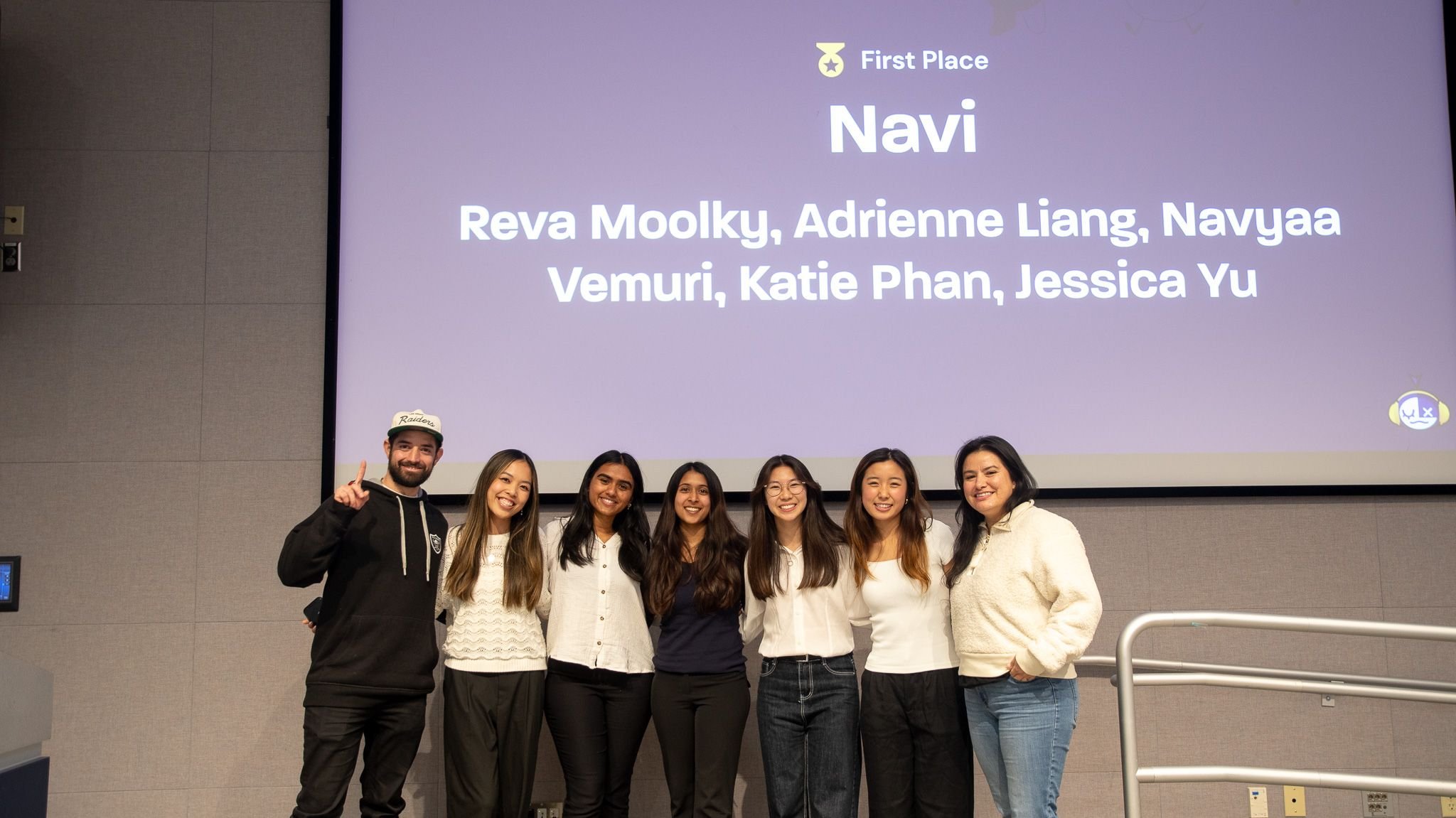
UX Fest SLO is a 24-hour design competition where teams create and present an original product solution to a panel of industry professionals. This project won first place among 80+ participants!
Prompt: Design a mobile or web experience that helps users plan and manage travel experiences more efficiently using AI-driven features.
ROLE
Product Designer
TEAM
5 Product Designers
TOOLS
Figma, Illustrator, Google Forms
PROBLEM IDENTIFICATION
An idea that came from personal experience
Instead of focusing on travel planning, we identified a more pressing problem hidden within the prompt: people can't travel efficiently if they don't feel safe getting there.
As five female college students, we recounted many times where we needed to walk home alone after late-night classes or hanging out with friends. From our personal experiences, every trip home involved the same few questions:
Which route has well-lit streets and is the most populated?
Should I pretend to be on a phone call?
Should I share my location with someone just in case?
This experience led us to ask: How might we help people feel safer while walking alone?
RESEARCH
Let’s take a look at the data.
To validate our assumptions, we analyzed over fifty research data points and conducted twelve user interviews to uncover shared pain points and behavioral patterns. Through our research, some of the most eye-opening data we found was…
45% of women feel unsafe walking in their neighborhood.
60% of adults feel unsafe walking alone after dark.
40% of Americans avoid walking alone at night near their homes.
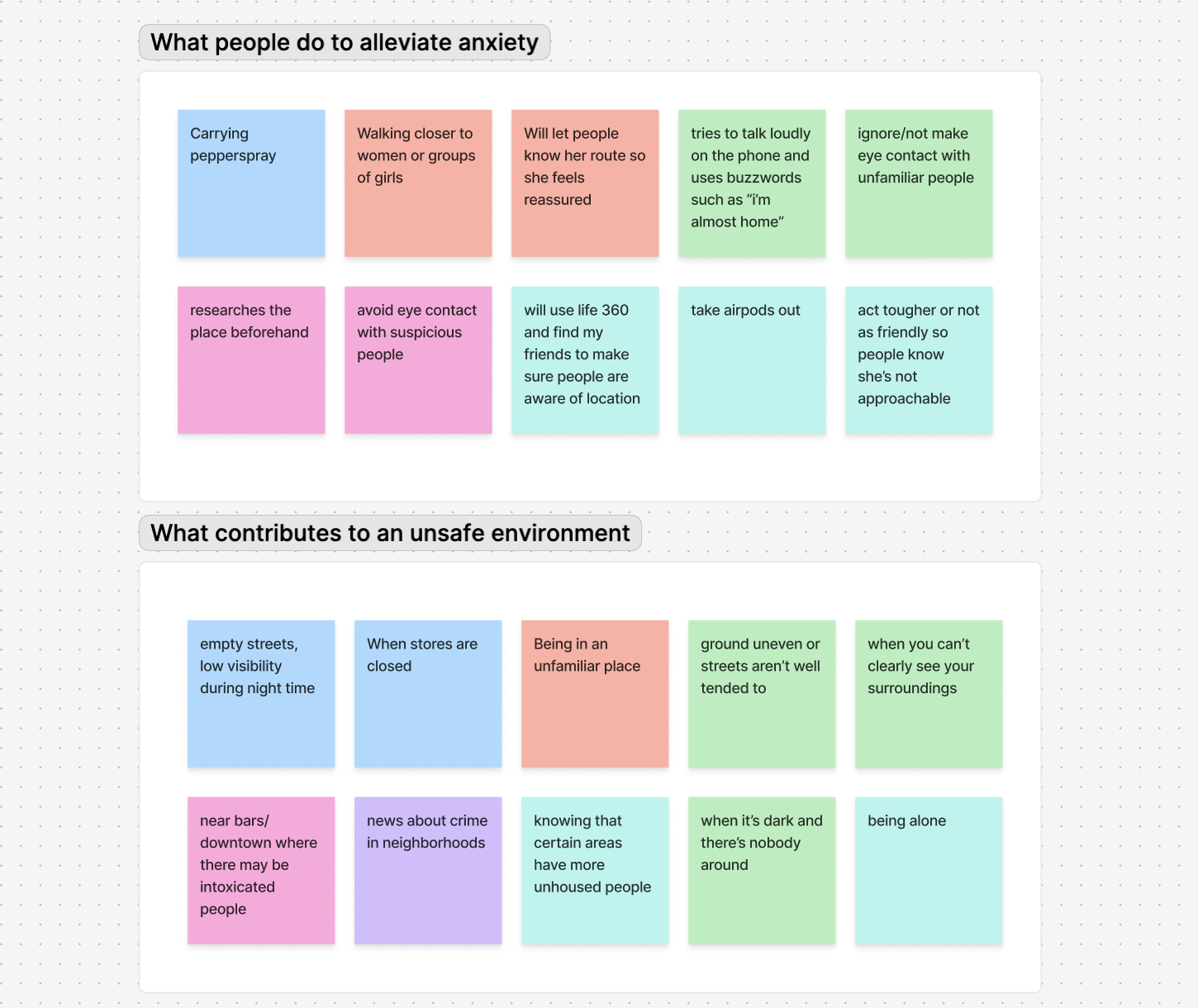
Three rounds of affinity mapping later, we found three key insights we could feasibly act on:
Uncertainty about Route Safety
People spend extra time researching unfamiliar neighborhoods to find the safest routes.Location sharing provides reassurance
Users feel safer when trusted friends or family know where they are and when they’ll arrive.Staying on the phone to ensure safety
Many users stay on call with their trusted ones for a sense of security or pretend to be on call.
SOLUTION
Introducing…Navi!
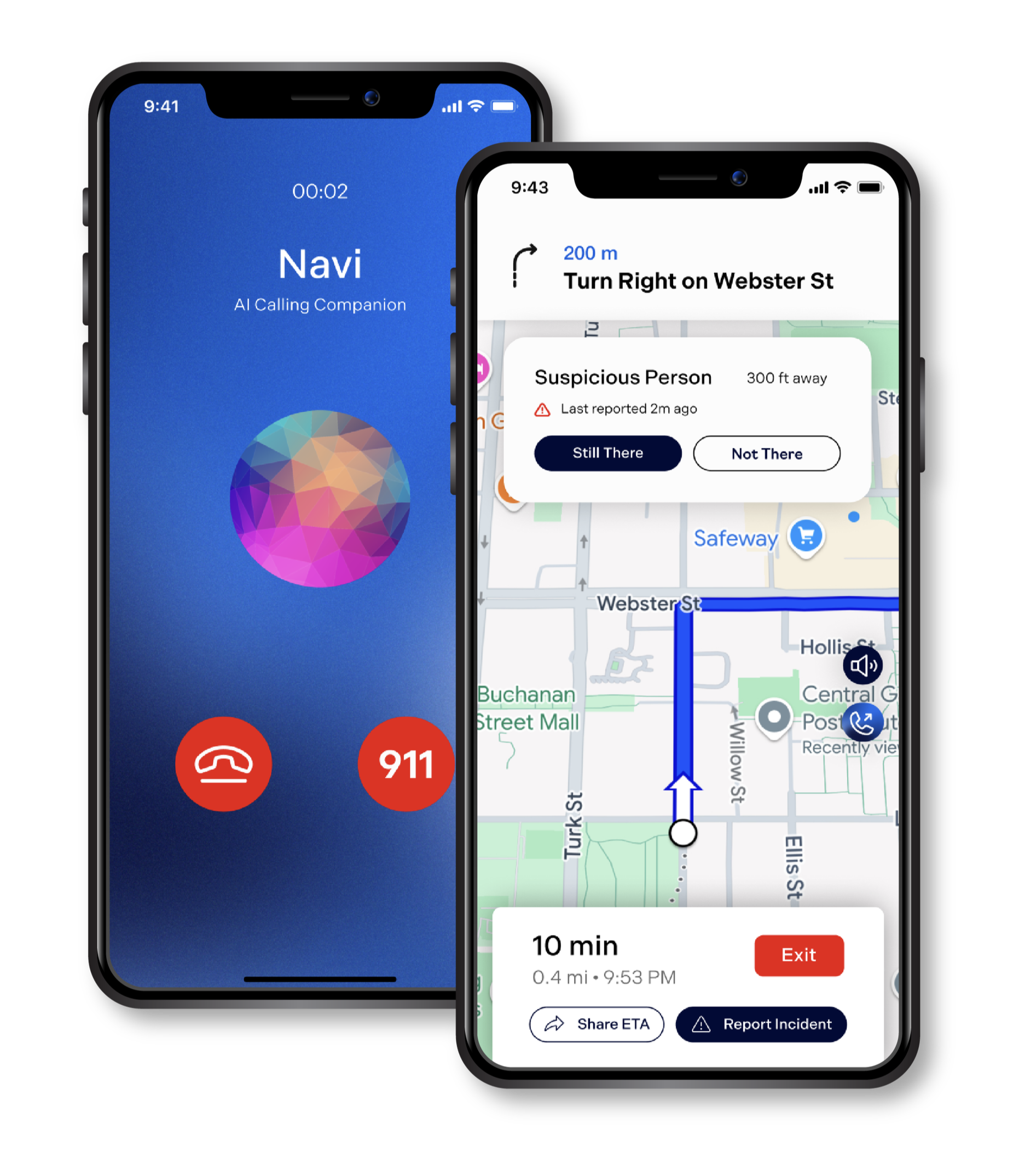
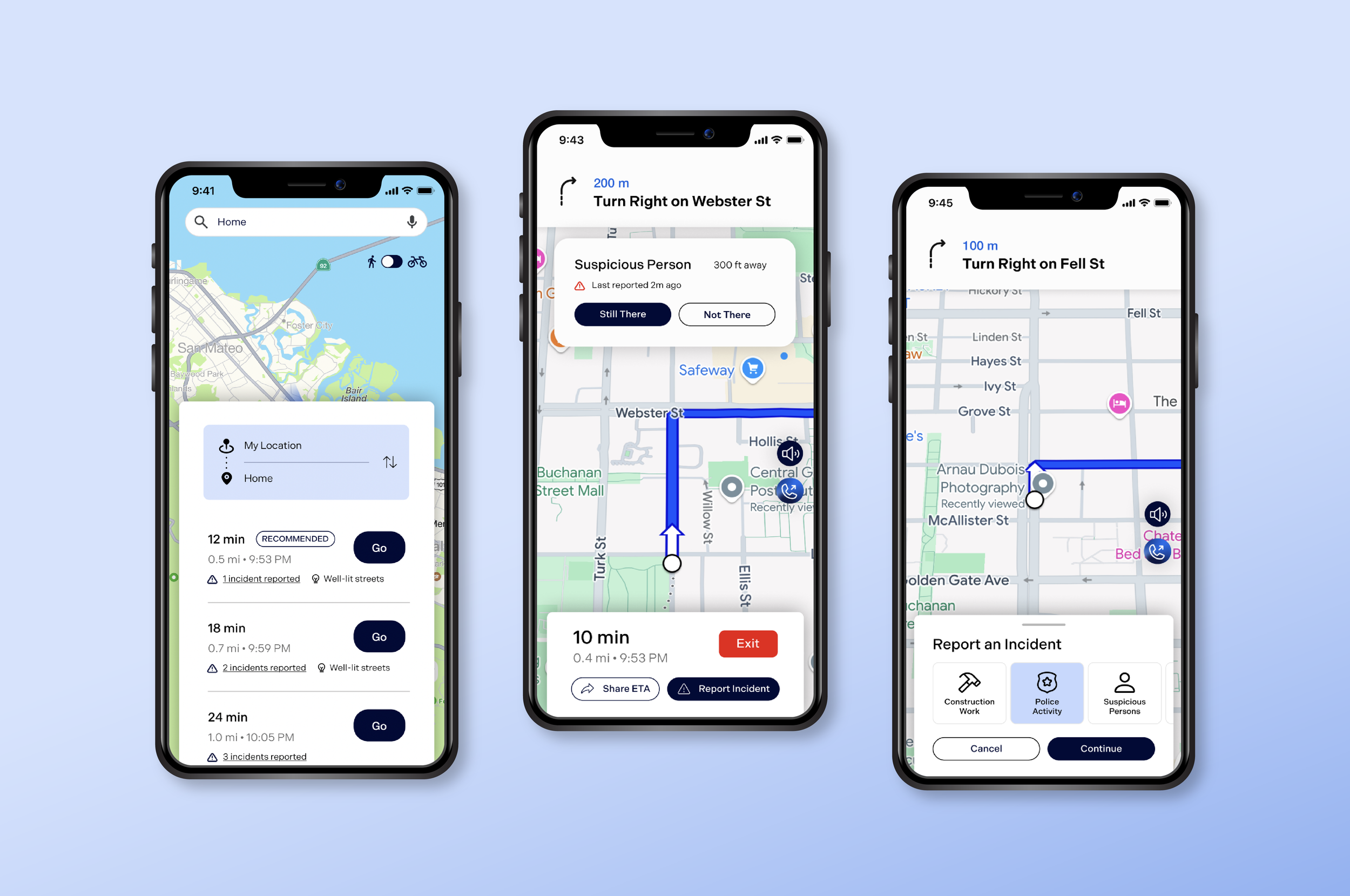
Navi is a mobile safety application that provides real-time safety insights, empowering users to make informed decisions about efficient and safe travel routes.
Key features include:
Safe Routes: Users can navigate to destinations using crowdsourced data & Google API to identify the safest routes.
Route Sharing: Share ETA with contacts and built-in notifications alert contacts if the user deviates from their intended route.
AI Calling Companion: Deter potential threats by engaging in a conversation with a realistic-sounding AI chatbot. Conversations are recorded for safety.
USER JOURNEY
Designing for efficiency
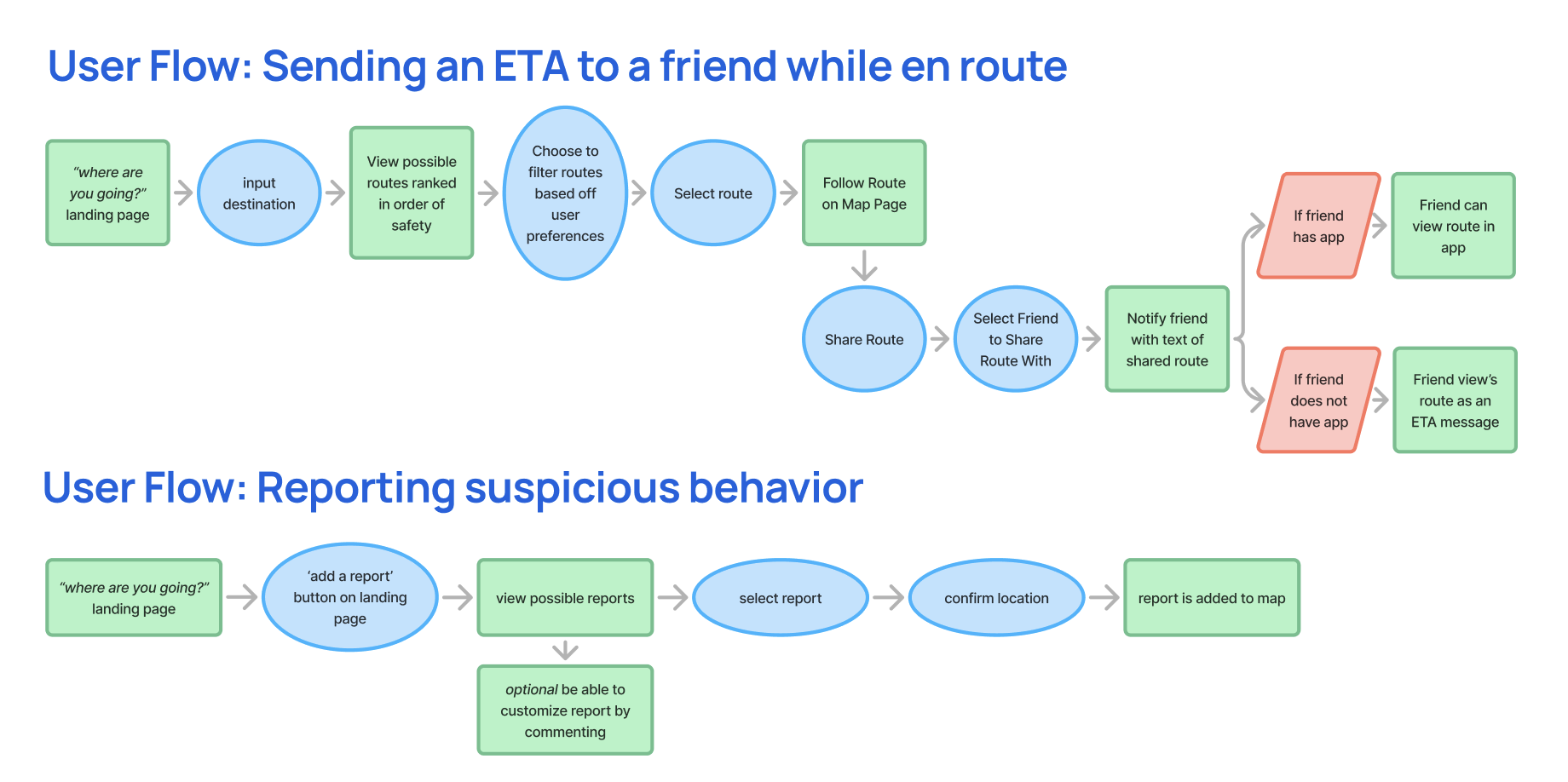
Safety features are only helpful if people can access them immediately.
We mapped multiple user journeys to eliminate unnecessary decisions and reduce interaction time during stressful moments. For example, reporting suspicious activity was reduced to three taps, allowing users to quickly alert others nearby.
IMPROVEMENTS
Iterating based on mentor feedback
During the low- and mid-fidelity design phases, we consulted multiple mentors to gather feedback on our screens.
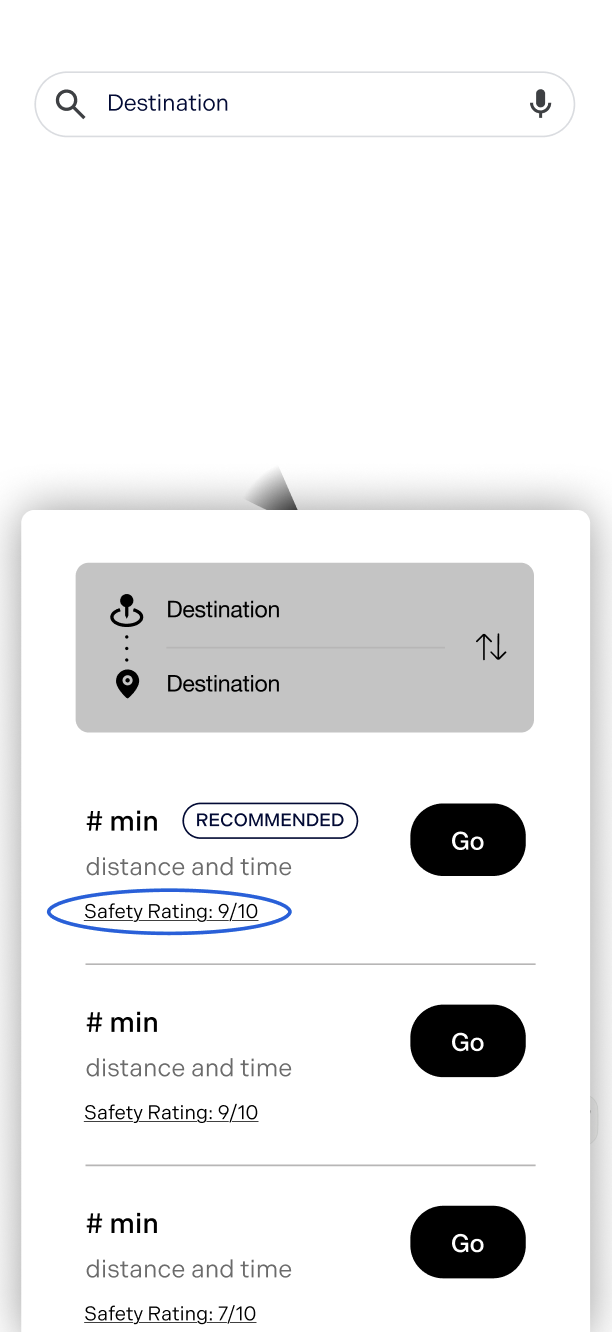
Before
We initially included safety ratings for each route. However, we found it difficult to define an objective set of factors that accurately represented safety without introducing bias.
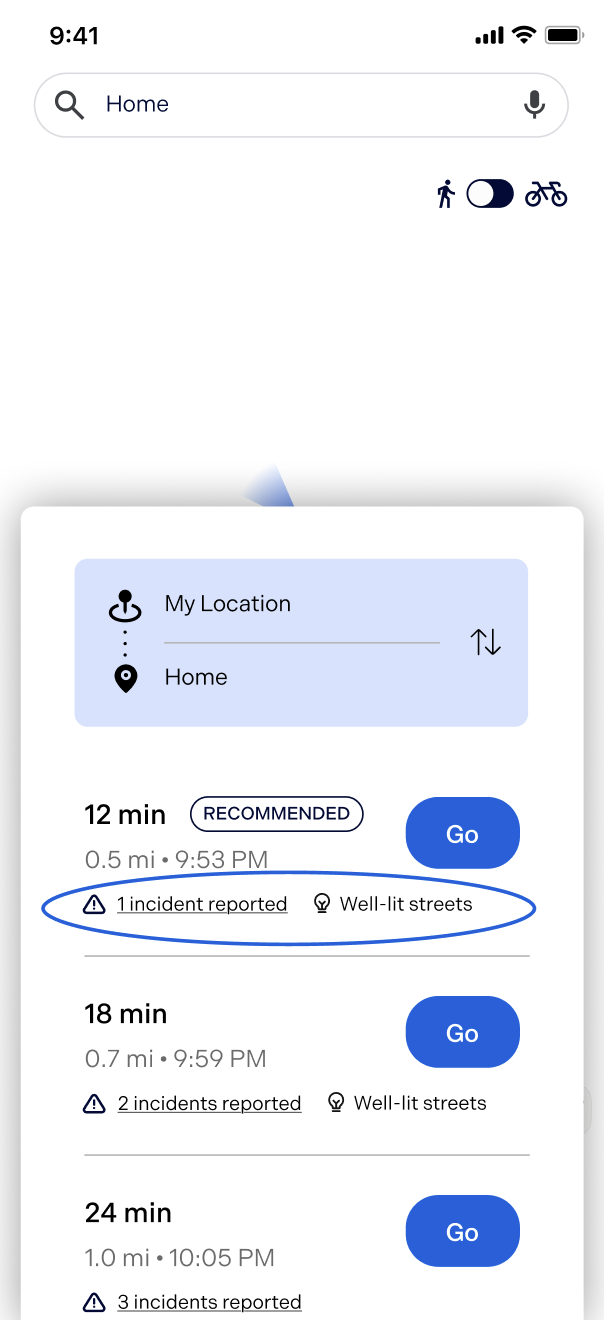
After
Each route has callouts for any incidents that have been recently reported, as well as any information relevant to pedestrians.
IMPROVEMENTS
Simplifying navigation after user testing
Before
Our low-fidelity mockups included a navigation bar with home, friend activity, and bookmarked routes.
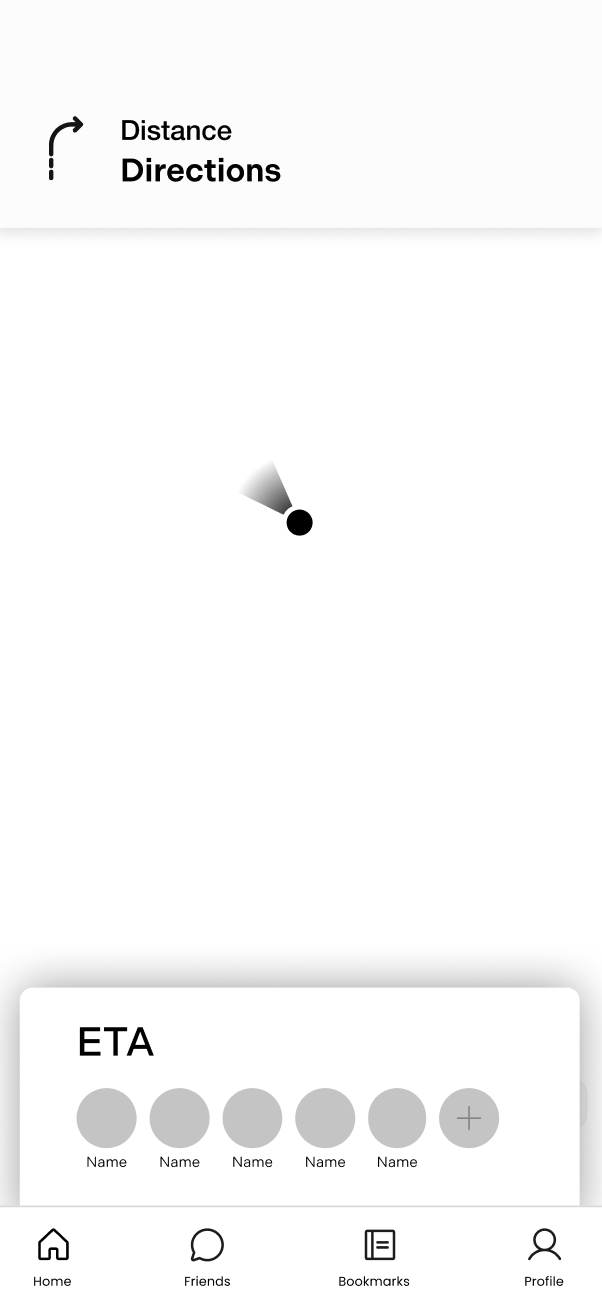
After
Through user testing, we noticed that users were able to access all of these features through the natural flow of the screens. Therefore, we removed the navigation bar to reduce visual clutter.
FINAL DESIGNS
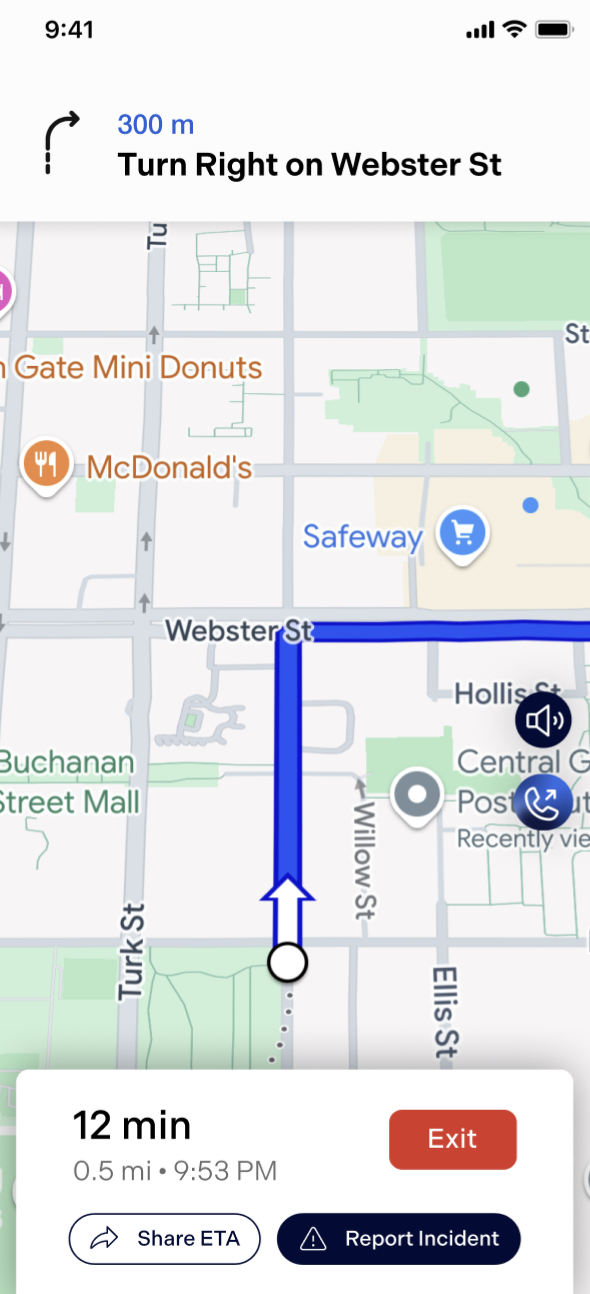
A walkthrough of Navi’s key features
Viewing Route Options
After inputting a destination, view a list of safe routes based off incidents reported and time it takes to reach destination
Sharing ETA with Contacts
While on route, share your ETA and route with trusted contacts, who will receive a text with your ETA and a route preview for emergencies.
Live Reporting
Report incidents at any time and view live reports while en route. Users can update reports with “Still There” or “Not There.”
AI Calling Companion
AI phone chatbot that keeps users company on walks and provides safety advice. Calls are recorded for safety, with one-tap access to 911 if needed.
REFLECTION
Next steps and reflections
Our prototype for Navi won first place at UX Fest SLO! Our team is excited to continue developing this app and exploring its potential. With more time, we would conduct user testing to validate whether the features truly address pedestrian pain points. We would also deepen our research into crowdsourcing to ensure that the route data is accurate, reliable, and safe.
A huge thank you to UX Fest SLO for creating such a fun and inspiring competition. I would also like to thank my dream team, Jessica, Katie, Navyaa, and Reva, for being the best teammates I could have asked for!

CHECK OUT ANOTHER PROJECT!
PRODUCT DESIGN • USER RESEARCH • ED TECH
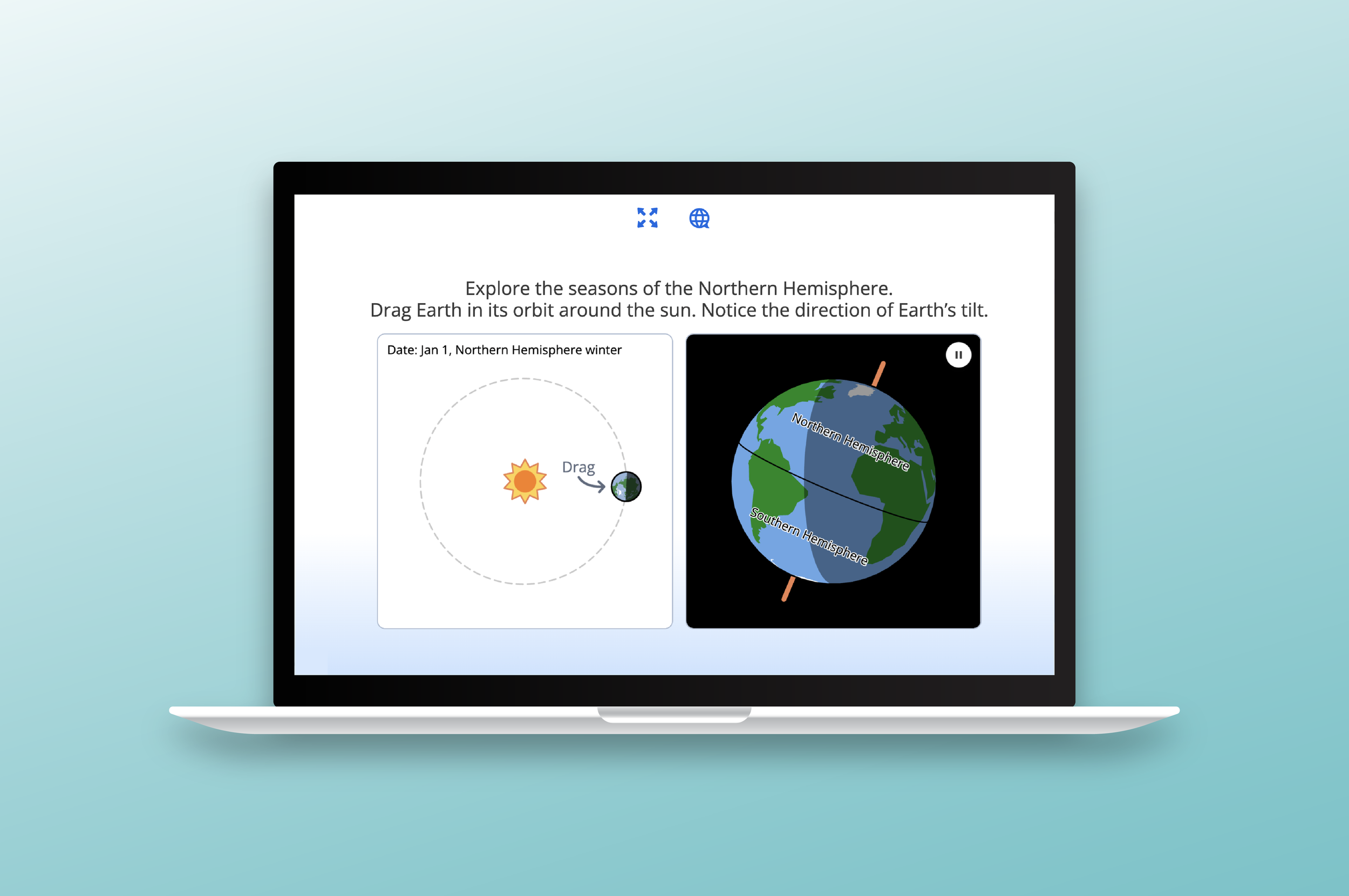
Amplify
UX/UI • SERVICE DESIGN • CLIENT PROJECT